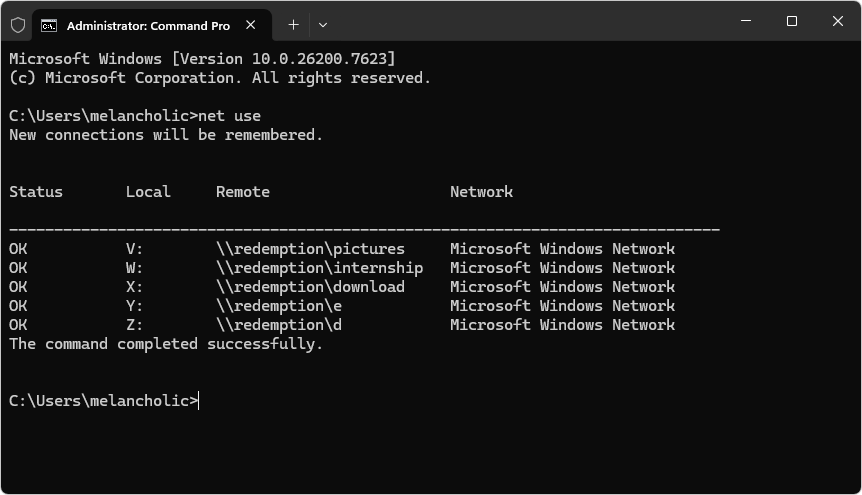
Press Windows Key + R, type cmd, and press Enter.
Type the following command (replace Z: with the actual letter of your stuck drive) and press Enter:
  net use
  net use Z: /delete
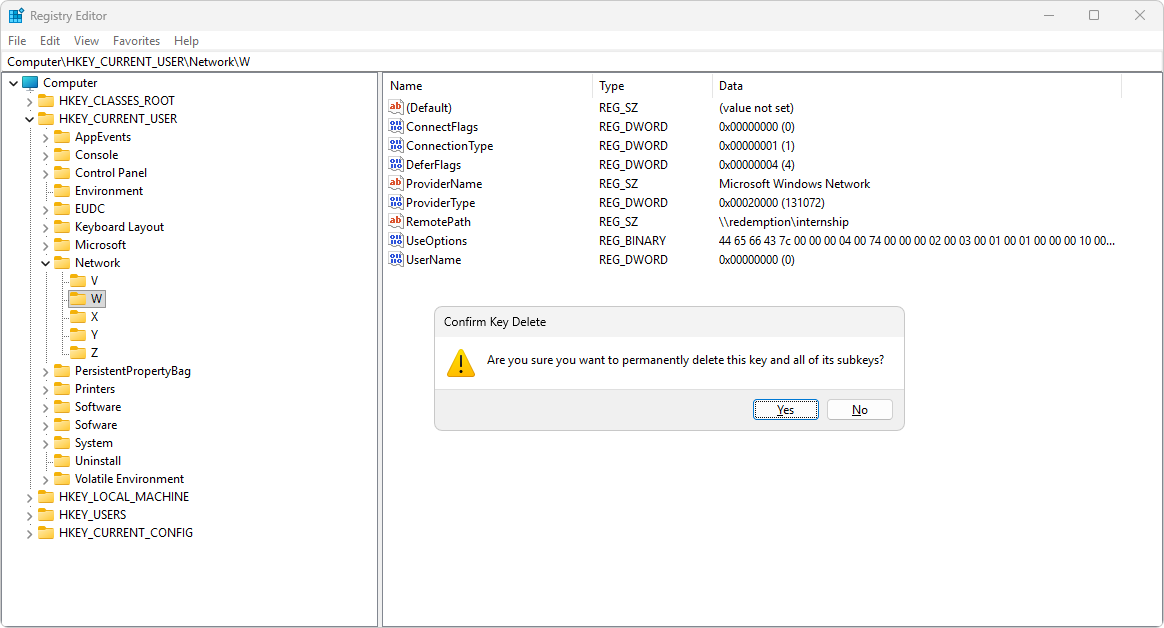
Press Win + R, type regedit, and press Enter.
Navigate to this path (you can paste it into the address bar at the top):
Computer\HKEY_CURRENT_USER\Network
You will see folders named with drive letters (e.g., Z, X, etc.).
Right-click the folder corresponding to your stuck drive letter. Select Delete and confirm.
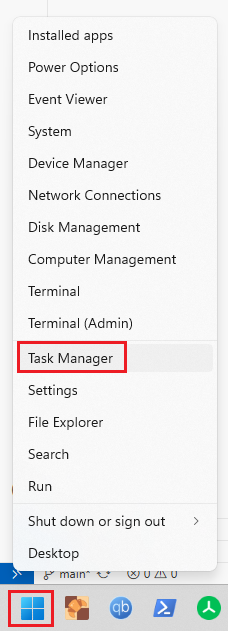
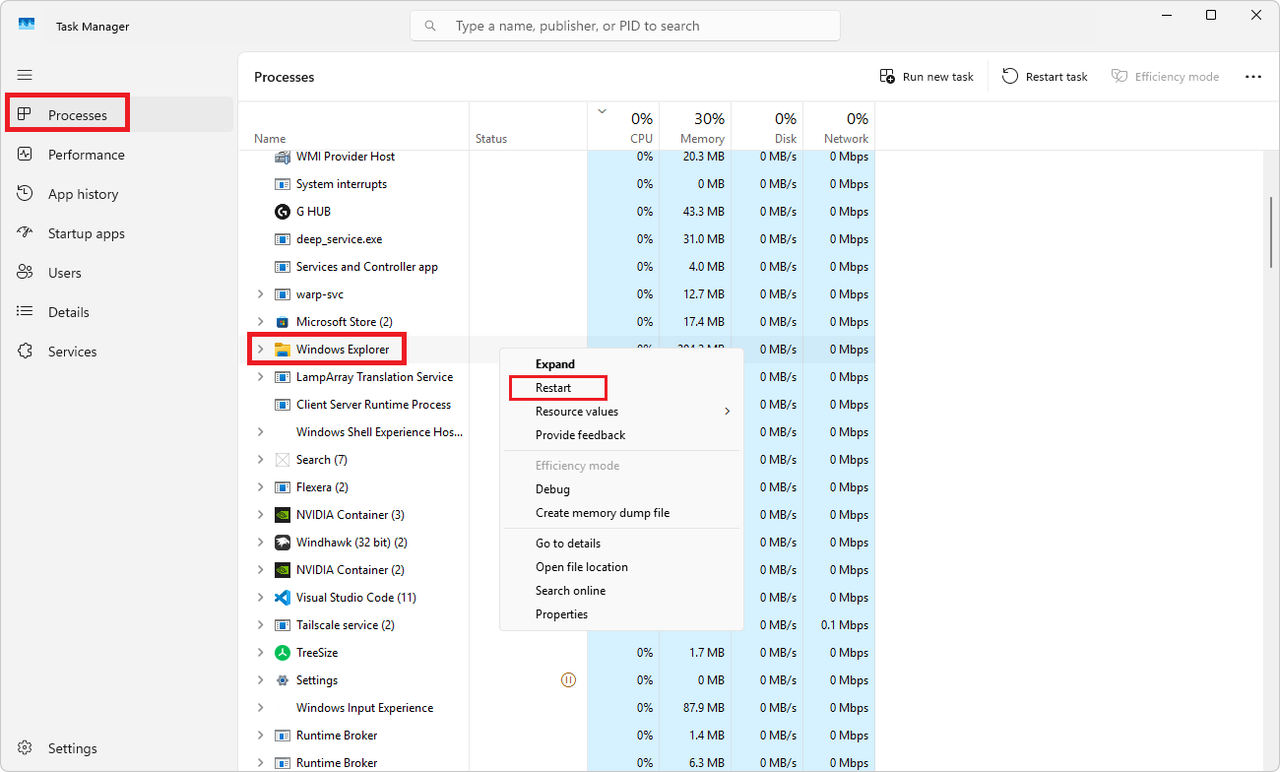
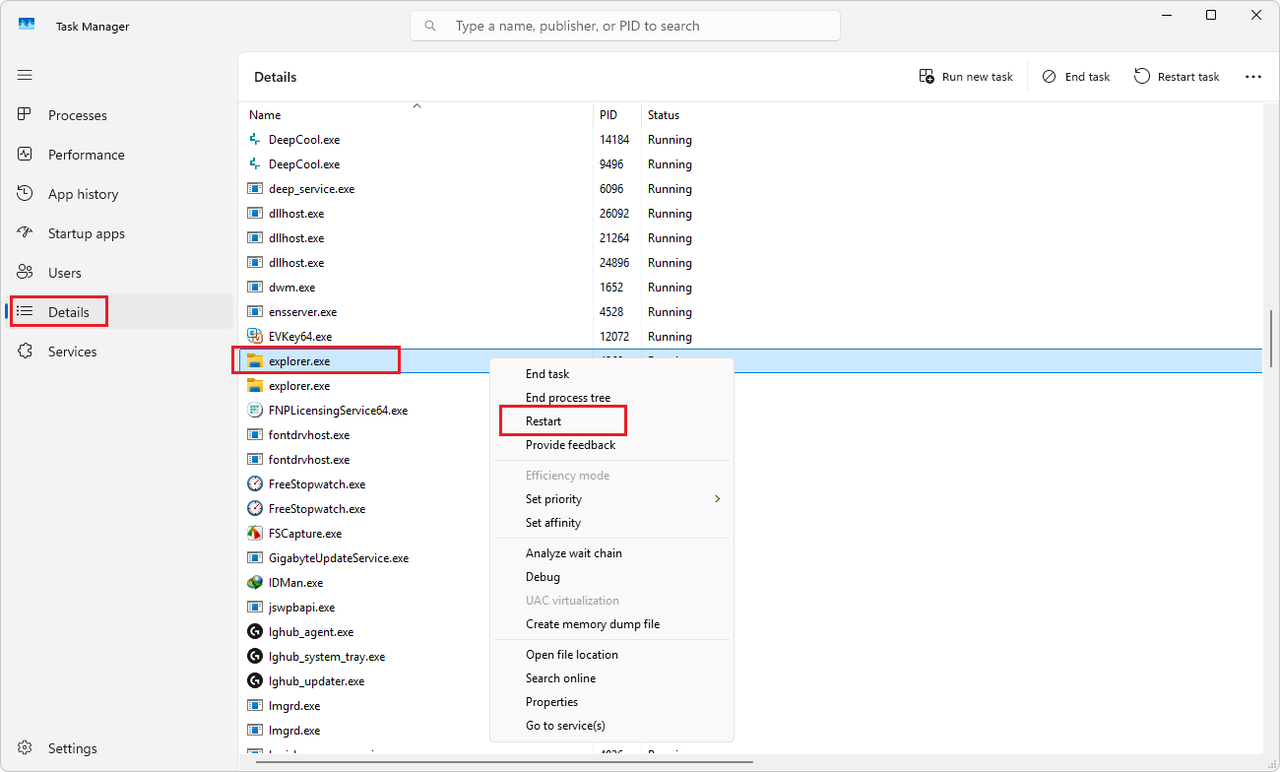
Right-click it and select Restart.
Check This PC again to see if the ghost drive has vanished.