To configure RDP so that audio plays on the remote laptop instead of your local device, follow these steps before you connect.
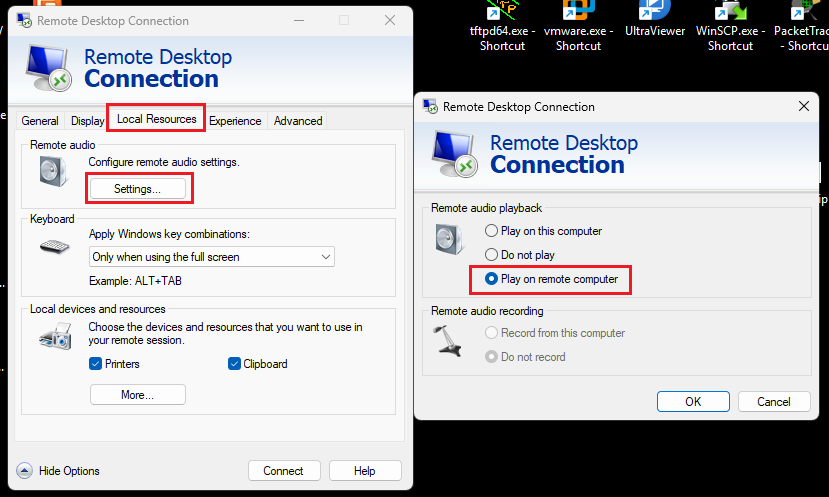
Open Remote Desktop Connection (mstsc) on your local computer.
Click Show Options at the bottom left to expand the window.
Go to the Local Resources tab.
Under the “Remote audio” section, click the Settings… button.
Select Play on remote computer.
Note: Play on this computer brings the sound to you. Play on remote computer keeps the sound there.
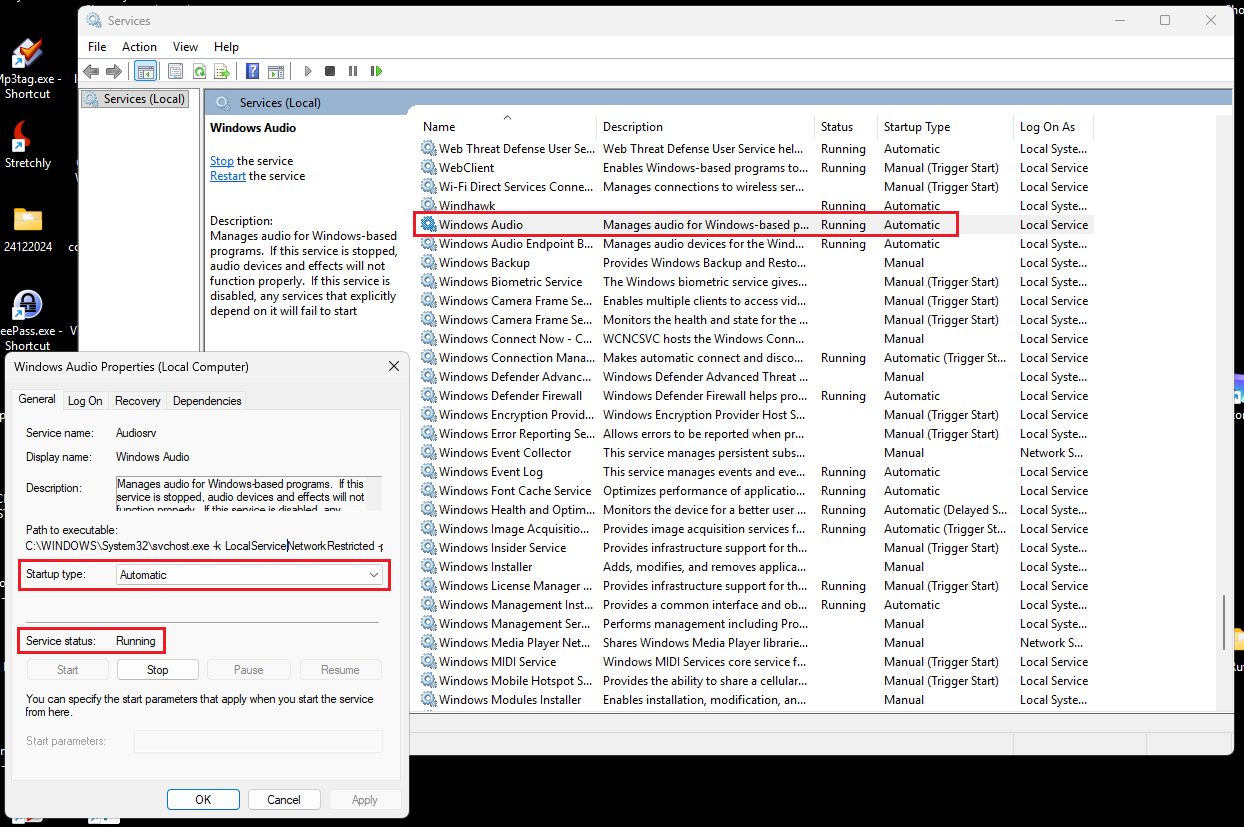
Connect to the remote laptop. Press Win + R. Type services.msc and hit Enter.
Scroll down to find Windows Audio.
Double-click it and ensure the Startup type is set to Automatic and the Service status is Running.
If the volume icon on the remote laptop has a red "X" over it, click it to trigger the troubleshooter, which often forces the audio service to wake up.
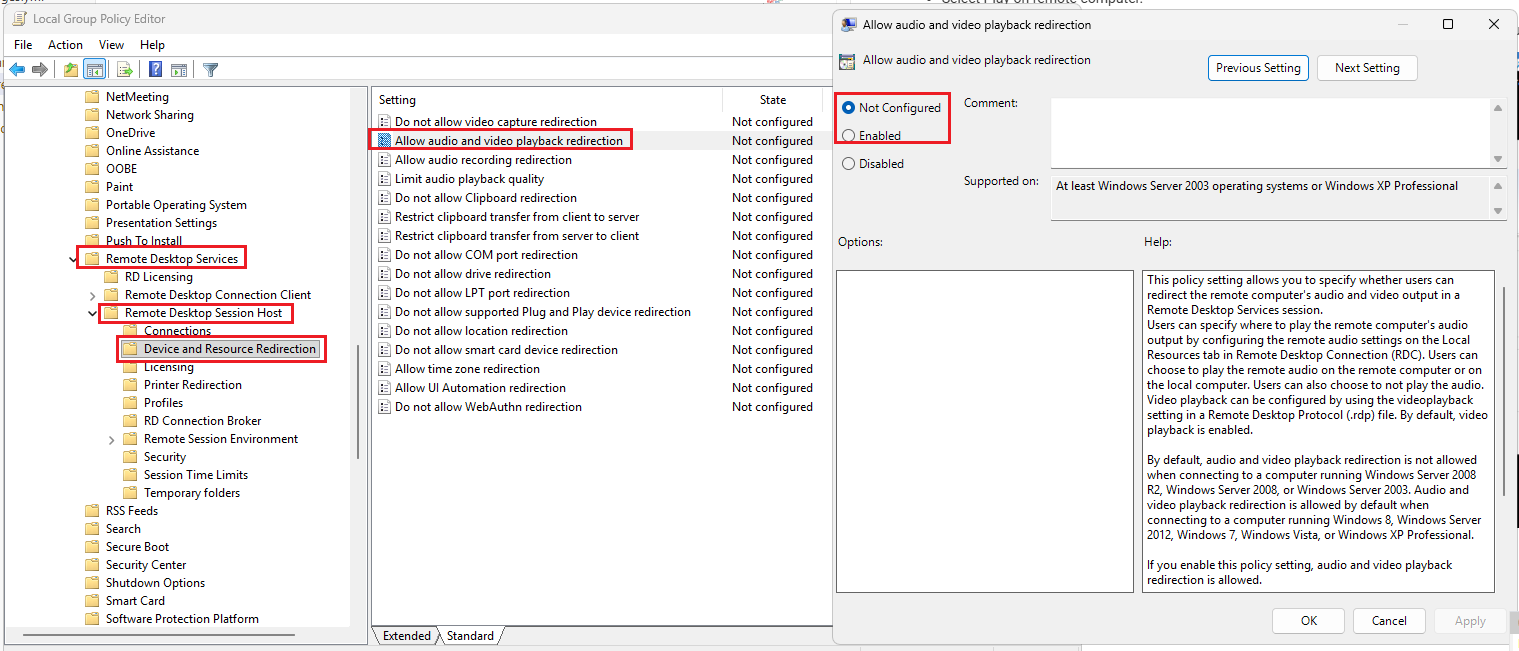
If you are on a corporate network or using Windows Pro/Enterprise, a policy might be overriding your settings.
On the Remote Laptop, run gpedit.msc.
Navigate to: Computer Configuration > Administrative Templates > Windows Components > Remote Desktop Services > Remote Desktop Session Host > Device and Resource Redirection.
Ensure Allow audio and video playback redirection is set to Enabled or Not Configured (Disabled will block audio entirely).